Friday, August 10, 2018

Section 2: The Basics (Lecture 10 Working with directories and files (mkdir, rmdir, nano, rm) 07:05)


(Lecture 10 Working with directories and files (mkdir, rmdir, nano, rm) 07:05)

Learn CentOS/Red Hat Server administration with this step-by-step course for beginners.
Inside, you'll learn:

What a computer server is and how it works
How to download and install CentOS 7 (it's FREE!)
To master getting around in a shell/command-line environment
How to connect to your server remotely with SSH
Basic Apache web server configuration and implementation
The process for creating basic Samba shares
How to configure 'mdadm' and form software RAID arrays
And so much more!
What am I going to get from this course?

Over 44 lectures and 4.5 hours of content!
Create and run your very own Linux server (in minutes!)
Install CentOS 7 from scratch, including how to run it in VirtualBox!
Dominate the Linux shell with essential server commands
Harness the power of SSH for remote controlling your server
Join two hard drives together to form a RAID array
Share files with Windows systems using Samba
Automate server tasks with cron jobs
Operate your own web server with Apache


What is the target audience?

This course is designed for beginners, especially users who have never installed or operated a CentOS Linux Server. The course is designed to take students step-by-step through the process of installing and configuring a server from scratch. No experience with Linux or other server environments is necessary. Intermediate users are encouraged to enroll at their own discretion. For example, if they are in need of a basic knowledge of RAID, SSH, Samba, cron jobs, and/or Apache.

Advanced users will already know how to use such features and are therefore discouraged from enrolling in this course.

Section 2: The Basics (Lecture 9 Navigating the system (ls, cd) 07:07)


 (Lecture 9 Navigating the system (ls, cd) 07:07)
🙌🙌🙌 CLICK HERE FOR THE ðŸ™ŒðŸ™ŒðŸ™Œ
👉👉👉👉👉 NEXT VIDEO (Lecture 10)👈👈👈👈👈

Learn CentOS/Red Hat Server administration with this step-by-step course for beginners.
Inside, you'll learn:

What a computer server is and how it works
How to download and install CentOS 7 (it's FREE!)
To master getting around in a shell/command-line environment
How to connect to your server remotely with SSH
Basic Apache web server configuration and implementation
The process for creating basic Samba shares
How to configure 'mdadm' and form software RAID arrays
And so much more!
What am I going to get from this course?

Over 44 lectures and 4.5 hours of content!
Create and run your very own Linux server (in minutes!)
Install CentOS 7 from scratch, including how to run it in VirtualBox!
Dominate the Linux shell with essential server commands
Harness the power of SSH for remote controlling your server
Join two hard drives together to form a RAID array
Share files with Windows systems using Samba
Automate server tasks with cron jobs
Operate your own web server with Apache

What is the target audience?

This course is designed for beginners, especially users who have never installed or operated a CentOS Linux Server. The course is designed to take students step-by-step through the process of installing and configuring a server from scratch. No experience with Linux or other server environments is necessary. Intermediate users are encouraged to enroll at their own discretion. For example, if they are in need of a basic knowledge of RAID, SSH, Samba, cron jobs, and/or Apache.

Advanced users will already know how to use such features and are therefore discouraged from enrolling in this course.


Section 1: Introduction to Linux & Installation Guide (Lecture 8 Installing CentOS 7 Server 08:40)

(Lecture 8 Installing CentOS 7 Server 08:40)
🙌🙌🙌 CLICK HERE FOR THE ðŸ™ŒðŸ™ŒðŸ™Œ
👉👉👉👉👉 NEXT VIDEO (Lecture 9)👈👈👈👈👈

Learn CentOS/Red Hat Server administration with this step-by-step course for beginners.
Inside, you'll learn:

What a computer server is and how it works
How to download and install CentOS 7 (it's FREE!)
To master getting around in a shell/command-line environment
How to connect to your server remotely with SSH
Basic Apache web server configuration and implementation
The process for creating basic Samba shares
How to configure 'mdadm' and form software RAID arrays
And so much more!
What am I going to get from this course?

Over 44 lectures and 4.5 hours of content!
Create and run your very own Linux server (in minutes!)
Install CentOS 7 from scratch, including how to run it in VirtualBox!
Dominate the Linux shell with essential server commands
Harness the power of SSH for remote controlling your server
Join two hard drives together to form a RAID array
Share files with Windows systems using Samba
Automate server tasks with cron jobs
Operate your own web server with Apache

What is the target audience?

This course is designed for beginners, especially users who have never installed or operated a CentOS Linux Server. The course is designed to take students step-by-step through the process of installing and configuring a server from scratch. No experience with Linux or other server environments is necessary. Intermediate users are encouraged to enroll at their own discretion. For example, if they are in need of a basic knowledge of RAID, SSH, Samba, cron jobs, and/or Apache.

Advanced users will already know how to use such features and are therefore discouraged from enrolling in this course.

Section 1: Introduction to Linux & Installation Guide (Lecture 7 VirtualBox configuration (optional, for VBOX users only) 02:33)

 (Lecture 7 VirtualBox configuration (optional, for VBOX users only) 02:33)
🙌🙌🙌 CLICK HERE FOR THE ðŸ™ŒðŸ™ŒðŸ™Œ
👉👉👉👉👉 NEXT VIDEO (Lecture 8)👈👈👈👈👈

Learn CentOS/Red Hat Server administration with this step-by-step course for beginners.
Inside, you'll learn:

What a computer server is and how it works
How to download and install CentOS 7 (it's FREE!)
To master getting around in a shell/command-line environment
How to connect to your server remotely with SSH
Basic Apache web server configuration and implementation
The process for creating basic Samba shares
How to configure 'mdadm' and form software RAID arrays
And so much more!
What am I going to get from this course?

Over 44 lectures and 4.5 hours of content!
Create and run your very own Linux server (in minutes!)
Install CentOS 7 from scratch, including how to run it in VirtualBox!
Dominate the Linux shell with essential server commands
Harness the power of SSH for remote controlling your server
Join two hard drives together to form a RAID array
Share files with Windows systems using Samba
Automate server tasks with cron jobs
Operate your own web server with Apache

What is the target audience?

This course is designed for beginners, especially users who have never installed or operated a CentOS Linux Server. The course is designed to take students step-by-step through the process of installing and configuring a server from scratch. No experience with Linux or other server environments is necessary. Intermediate users are encouraged to enroll at their own discretion. For example, if they are in need of a basic knowledge of RAID, SSH, Samba, cron jobs, and/or Apache.

Advanced users will already know how to use such features and are therefore discouraged from enrolling in this course.

Section 1: Introduction to Linux & Installation Guide (Lecture 6 Preparing installation media 05:58)


 (Lecture 6 Preparing installation media 05:58)
🙌🙌🙌 CLICK HERE FOR THE ðŸ™ŒðŸ™ŒðŸ™Œ
👉👉👉👉👉 NEXT VIDEO (Lecture 7)👈👈👈👈👈

Learn CentOS/Red Hat Server administration with this step-by-step course for beginners.
Inside, you'll learn:

What a computer server is and how it works
How to download and install CentOS 7 (it's FREE!)
To master getting around in a shell/command-line environment
How to connect to your server remotely with SSH
Basic Apache web server configuration and implementation
The process for creating basic Samba shares
How to configure 'mdadm' and form software RAID arrays
And so much more!
What am I going to get from this course?

Over 44 lectures and 4.5 hours of content!
Create and run your very own Linux server (in minutes!)
Install CentOS 7 from scratch, including how to run it in VirtualBox!
Dominate the Linux shell with essential server commands
Harness the power of SSH for remote controlling your server
Join two hard drives together to form a RAID array
Share files with Windows systems using Samba
Automate server tasks with cron jobs
Operate your own web server with Apache

What is the target audience?

This course is designed for beginners, especially users who have never installed or operated a CentOS Linux Server. The course is designed to take students step-by-step through the process of installing and configuring a server from scratch. No experience with Linux or other server environments is necessary. Intermediate users are encouraged to enroll at their own discretion. For example, if they are in need of a basic knowledge of RAID, SSH, Samba, cron jobs, and/or Apache.

Advanced users will already know how to use such features and are therefore discouraged from enrolling in this course.

Section 1: Introduction to Linux & Installation Guide (Lecture 5 Downloading CentOS 7 04:49)

(Lecture 5 Downloading CentOS 7 04:49)
🙌🙌🙌 CLICK HERE FOR THE ðŸ™ŒðŸ™ŒðŸ™Œ
👉👉👉👉👉 NEXT VIDEO (Lecture 6)👈👈👈👈👈

Learn CentOS/Red Hat Server administration with this step-by-step course for beginners.
Inside, you'll learn:

What a computer server is and how it works
How to download and install CentOS 7 (it's FREE!)
To master getting around in a shell/command-line environment
How to connect to your server remotely with SSH
Basic Apache web server configuration and implementation
The process for creating basic Samba shares
How to configure 'mdadm' and form software RAID arrays
And so much more!
What am I going to get from this course?

Over 44 lectures and 4.5 hours of content!
Create and run your very own Linux server (in minutes!)
Install CentOS 7 from scratch, including how to run it in VirtualBox!
Dominate the Linux shell with essential server commands
Harness the power of SSH for remote controlling your server
Join two hard drives together to form a RAID array
Share files with Windows systems using Samba
Automate server tasks with cron jobs
Operate your own web server with Apache

What is the target audience?

This course is designed for beginners, especially users who have never installed or operated a CentOS Linux Server. The course is designed to take students step-by-step through the process of installing and configuring a server from scratch. No experience with Linux or other server environments is necessary. Intermediate users are encouraged to enroll at their own discretion. For example, if they are in need of a basic knowledge of RAID, SSH, Samba, cron jobs, and/or Apache.

Advanced users will already know how to use such features and are therefore discouraged from enrolling in this course.

Section 1: Introduction to Linux & Installation Guide (Lecture 4 What is CentOS? 02:57)

 (Lecture 4 What is CentOS? 02:57)
🙌🙌🙌 CLICK HERE FOR THE ðŸ™ŒðŸ™ŒðŸ™Œ
👉👉👉👉👉 NEXT VIDEO (Lecture 5)👈👈👈👈👈

Learn CentOS/Red Hat Server administration with this step-by-step course for beginners.
Inside, you'll learn:

What a computer server is and how it works
How to download and install CentOS 7 (it's FREE!)
To master getting around in a shell/command-line environment
How to connect to your server remotely with SSH
Basic Apache web server configuration and implementation
The process for creating basic Samba shares
How to configure 'mdadm' and form software RAID arrays
And so much more!
What am I going to get from this course?

Over 44 lectures and 4.5 hours of content!
Create and run your very own Linux server (in minutes!)
Install CentOS 7 from scratch, including how to run it in VirtualBox!
Dominate the Linux shell with essential server commands
Harness the power of SSH for remote controlling your server
Join two hard drives together to form a RAID array
Share files with Windows systems using Samba
Automate server tasks with cron jobs
Operate your own web server with Apache

What is the target audience?

This course is designed for beginners, especially users who have never installed or operated a CentOS Linux Server. The course is designed to take students step-by-step through the process of installing and configuring a server from scratch. No experience with Linux or other server environments is necessary. Intermediate users are encouraged to enroll at their own discretion. For example, if they are in need of a basic knowledge of RAID, SSH, Samba, cron jobs, and/or Apache.

Advanced users will already know how to use such features and are therefore discouraged from enrolling in this course.

Section 1: Introduction to Linux & Installation Guide (Lecture 3 What is Linux? 04:26)


 (Lecture 3 What is Linux? 04:26)
🙌🙌🙌 CLICK HERE FOR THE ðŸ™ŒðŸ™ŒðŸ™Œ
👉👉👉👉👉 NEXT VIDEO (Lecture 4)👈👈👈👈👈

Learn CentOS/Red Hat Server administration with this step-by-step course for beginners.
Inside, you'll learn:

What a computer server is and how it works
How to download and install CentOS 7 (it's FREE!)
To master getting around in a shell/command-line environment
How to connect to your server remotely with SSH
Basic Apache web server configuration and implementation
The process for creating basic Samba shares
How to configure 'mdadm' and form software RAID arrays
And so much more!
What am I going to get from this course?

Over 44 lectures and 4.5 hours of content!
Create and run your very own Linux server (in minutes!)
Install CentOS 7 from scratch, including how to run it in VirtualBox!
Dominate the Linux shell with essential server commands
Harness the power of SSH for remote controlling your server
Join two hard drives together to form a RAID array
Share files with Windows systems using Samba
Automate server tasks with cron jobs
Operate your own web server with Apache

What is the target audience?

This course is designed for beginners, especially users who have never installed or operated a CentOS Linux Server. The course is designed to take students step-by-step through the process of installing and configuring a server from scratch. No experience with Linux or other server environments is necessary. Intermediate users are encouraged to enroll at their own discretion. For example, if they are in need of a basic knowledge of RAID, SSH, Samba, cron jobs, and/or Apache.

Advanced users will already know how to use such features and are therefore discouraged from enrolling in this course.

Section 1: Introduction to Linux & Installation Guide (Lecture 2 What is a computer server? 04:49)


(Lecture 2 What is a computer server? 04:49)
🙌🙌🙌 CLICK HERE FOR THE ðŸ™ŒðŸ™ŒðŸ™Œ
👉👉👉👉👉 NEXT VIDEO (Lecture 3))👈👈👈👈👈

Learn CentOS/Red Hat Server administration with this step-by-step course for beginners.
Inside, you'll learn:

What a computer server is and how it works
How to download and install CentOS 7 (it's FREE!)
To master getting around in a shell/command-line environment
How to connect to your server remotely with SSH
Basic Apache web server configuration and implementation
The process for creating basic Samba shares
How to configure 'mdadm' and form software RAID arrays
And so much more!
What am I going to get from this course?

Over 44 lectures and 4.5 hours of content!
Create and run your very own Linux server (in minutes!)
Install CentOS 7 from scratch, including how to run it in VirtualBox!
Dominate the Linux shell with essential server commands
Harness the power of SSH for remote controlling your server
Join two hard drives together to form a RAID array
Share files with Windows systems using Samba
Automate server tasks with cron jobs
Operate your own web server with Apache

What is the target audience?

This course is designed for beginners, especially users who have never installed or operated a CentOS Linux Server. The course is designed to take students step-by-step through the process of installing and configuring a server from scratch. No experience with Linux or other server environments is necessary. Intermediate users are encouraged to enroll at their own discretion. For example, if they are in need of a basic knowledge of RAID, SSH, Samba, cron jobs, and/or Apache.

Advanced users will already know how to use such features and are therefore discouraged from enrolling in this course.


Section 1: Introduction to Linux & Installation Guide (Lecture 1 Introduction Preview 01:42)

 (Lecture 1 Introduction Preview 01:42)

🙌🙌🙌 CLICK HERE FOR THE ðŸ™ŒðŸ™ŒðŸ™Œ
👉👉👉👉👉 NEXT VIDEO (Lecture 2))👈👈👈👈👈

Learn CentOS/Red Hat Server administration with this step-by-step course for beginners.
Inside, you'll learn:

What a computer server is and how it works
How to download and install CentOS 7 (it's FREE!)
To master getting around in a shell/command-line environment
How to connect to your server remotely with SSH
Basic Apache web server configuration and implementation
The process for creating basic Samba shares
How to configure 'mdadm' and form software RAID arrays
And so much more!
What am I going to get from this course?

Over 44 lectures and 4.5 hours of content!
Create and run your very own Linux server (in minutes!)
Install CentOS 7 from scratch, including how to run it in VirtualBox!
Dominate the Linux shell with essential server commands
Harness the power of SSH for remote controlling your server
Join two hard drives together to form a RAID array
Share files with Windows systems using Samba
Automate server tasks with cron jobs
Operate your own web server with Apache

What is the target audience?

This course is designed for beginners, especially users who have never installed or operated a CentOS Linux Server. The course is designed to take students step-by-step through the process of installing and configuring a server from scratch. No experience with Linux or other server environments is necessary. Intermediate users are encouraged to enroll at their own discretion. For example, if they are in need of a basic knowledge of RAID, SSH, Samba, cron jobs, and/or Apache.

Advanced users will already know how to use such features and are therefore discouraged from enrolling in this course.


Thursday, October 5, 2017

Free Microsoft office Activator (2016,365,2013,2010)

What is the Key Management Service (KMS)?

The Key Management Service (KMS) is an activation service that allows organizations to activate systems within their own network, eliminating the need for individual computers to connect to Microsoft for product activation. It does not require a dedicated system and can be easily co-hosted on a system that provides other services.
KMS requires a minimum number of either physical or virtual computers in a network environment. These minimums, called activation thresholds, are set so that they are easily met by Enterprise customers.

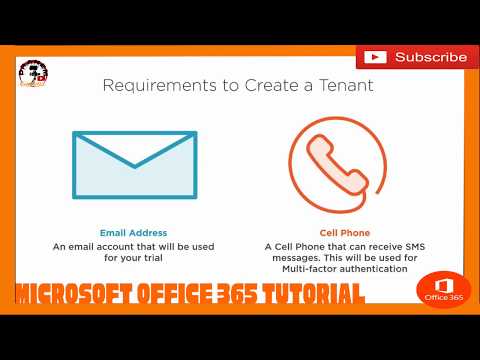
Part 1.1 | Provisioning OFFICE 365 | Microsoft 365 Overview | Microsoft Office 365 tutorials

This Video is all about Microsoft Office 365 Tutorials i uploaded this video for Educational Purposes only Enjoy Learning Guys and Keep on ...